OpenClaw Calendar Management
The openclaw-calendar image focuses on calendar management. Through natural language interaction with AI, it manages your schedules across platforms, supporting iCloud, Nextcloud, DingTalk, and other popular calendar services.
Included Skill
caldav-cli — Multi-Account Calendar Management
Based on the CalDAV protocol, it turns AI into your scheduling assistant. No need to remember commands — just describe your needs in everyday language.
Supported Calendar Platforms
| Platform | Description |
|---|---|
| iCloud | Apple device calendar sync |
| Nextcloud | Self-hosted open-source calendar |
| DingTalk | Enterprise calendar & meeting management |
| Radicale | Lightweight self-hosted CalDAV service |
| Other CalDAV services | Any CalDAV-compliant calendar service |
Core Capabilities
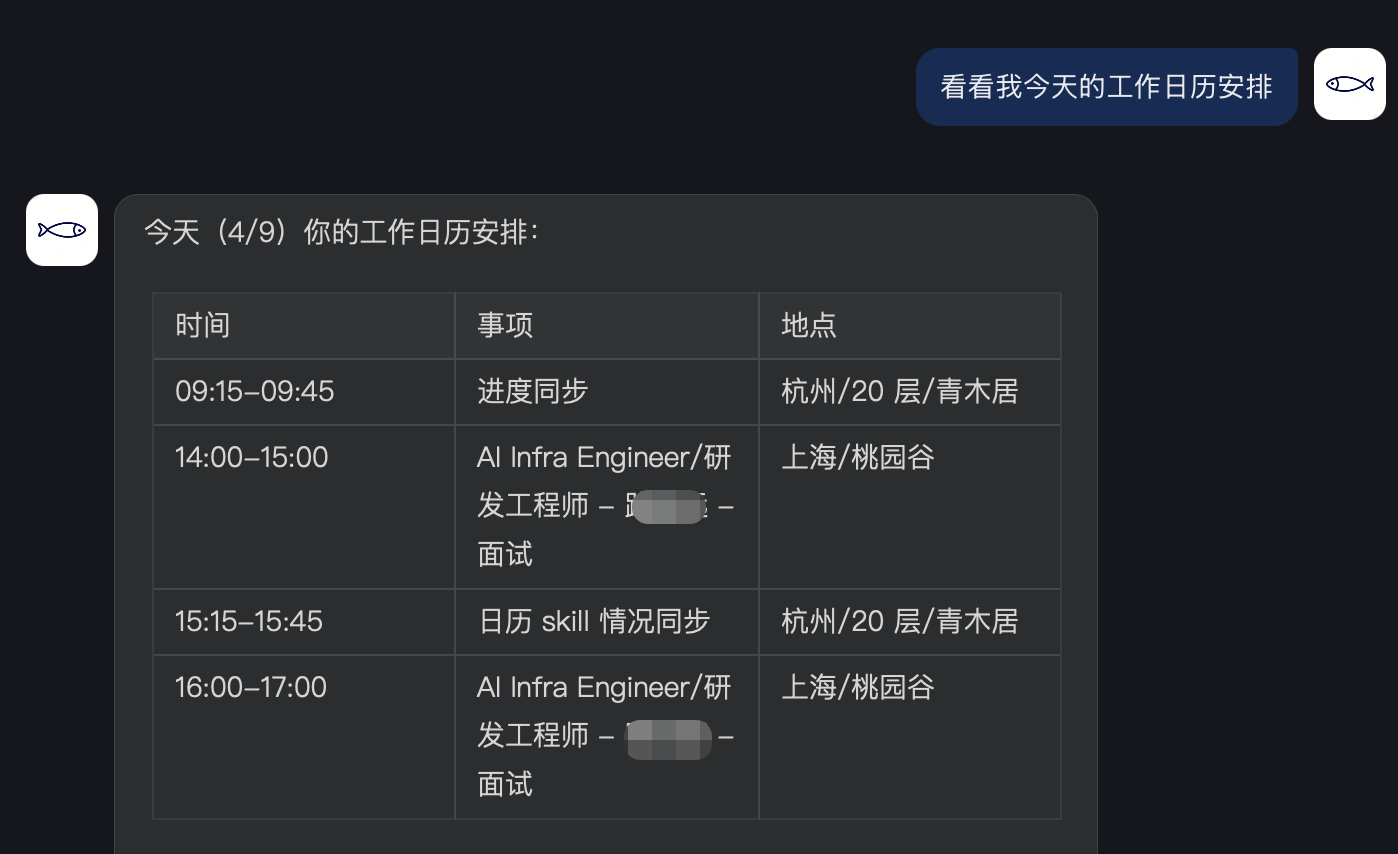
View Schedule
Browse calendar events by time range or keywords.
Example commands:
What do I have scheduled this week?
Show me next month's schedule
Any meetings at the end of March?
Multi-account auto-merge: When multiple calendar accounts are configured, events from all accounts are automatically consolidated and labeled by source (e.g., "[Work]", "[iCloud]").
Search Events
Full-text search for past and future events by keyword.
Example commands:
Find all meetings related to "project review"
Search if there were any appointments with Li Ming last month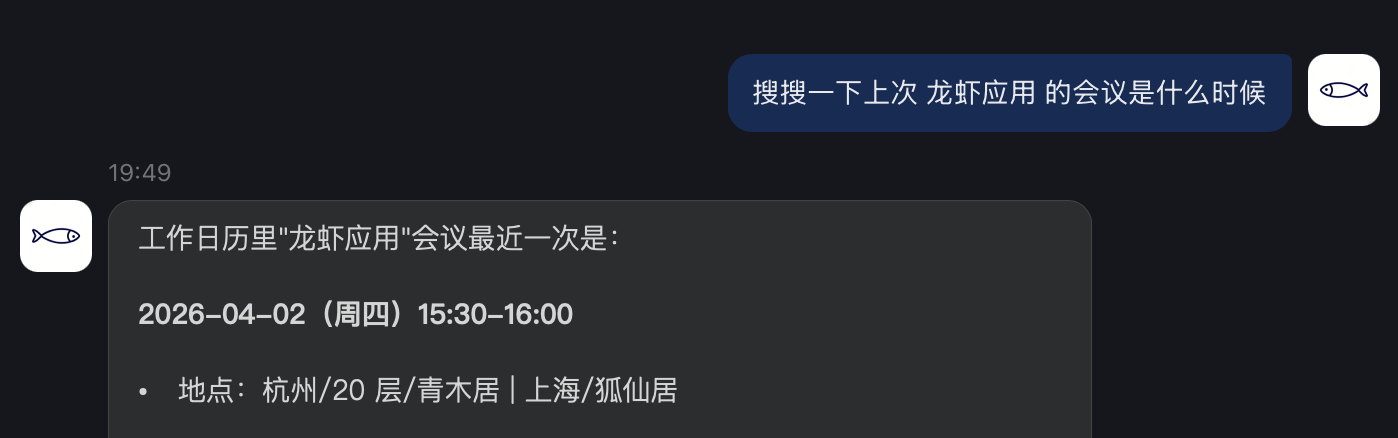
Create Events
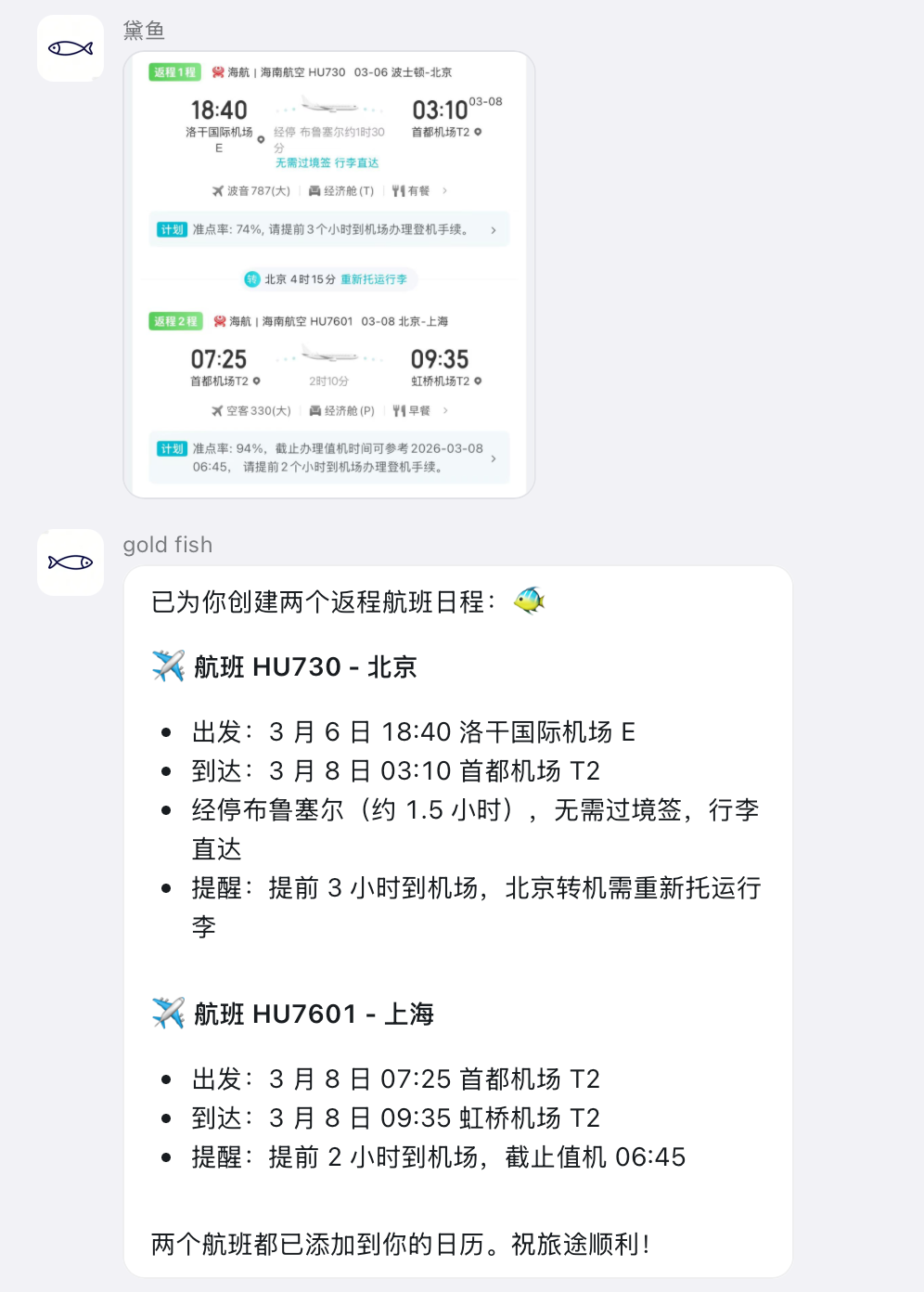
Describe the time, location, and content in natural language, and the AI automatically fills in all the details.
Example commands:
Schedule a one-hour product review meeting in Meeting Room A at 3 PM tomorrow
Add an all-day team building event next Friday
Set up a client call next Wednesday at 10 AM, add a note "Discuss contract terms"
Supported event types:
Timed events (with specified start and end times)
All-day events
Detailed events with location and description
Time understanding:
| User Says | Auto Conversion |
|---|---|
| Tomorrow, the day after | Calculated from today's date |
| Next Wednesday | Finds the next Wednesday |
| End of this month | Last day of the current month |
| Afternoon / Morning | Defaults to 14:00 / 09:00 |
| A one-hour meeting | Auto-calculates end time |
Modify Events
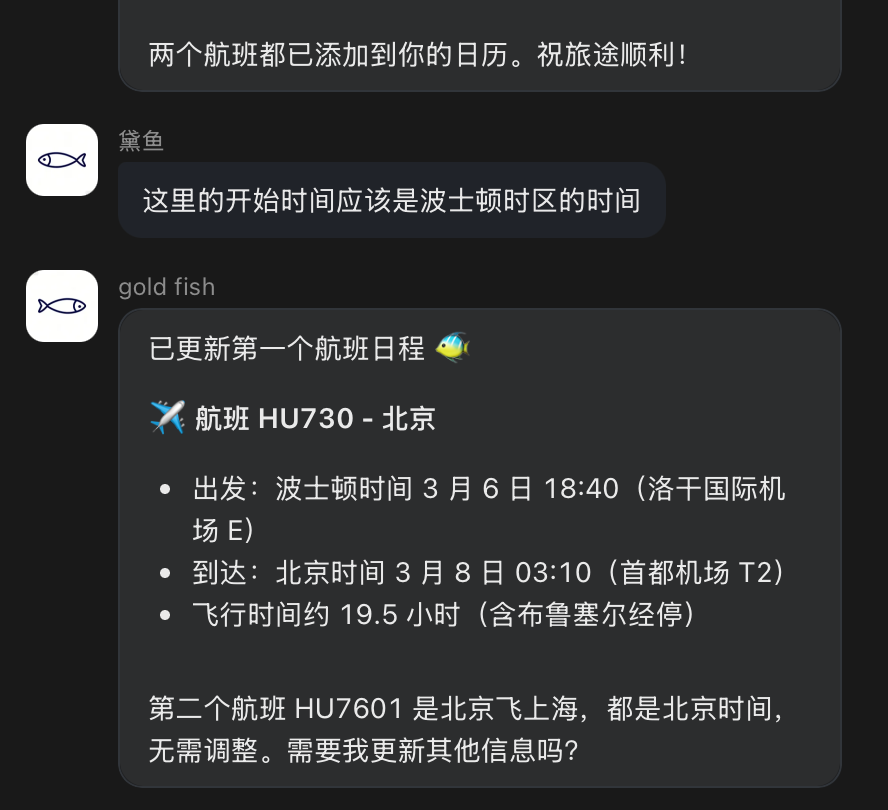
Update any field of an existing event — time, location, title, or description.
Example commands:
Postpone tomorrow's product review to 4 PM
Change next Wednesday's meeting room to online, set the location to a Tencent Meeting link
Add a note to Friday's event: Remember to bring business cards
Pre-action confirmation: Before modifying or deleting, the AI will display the target event and request confirmation to avoid accidental changes.
Delete Events
Cancel or delete events that are no longer needed.
Example commands:
Cancel tomorrow afternoon's client visit
Delete all meetings marked as "tentative" this month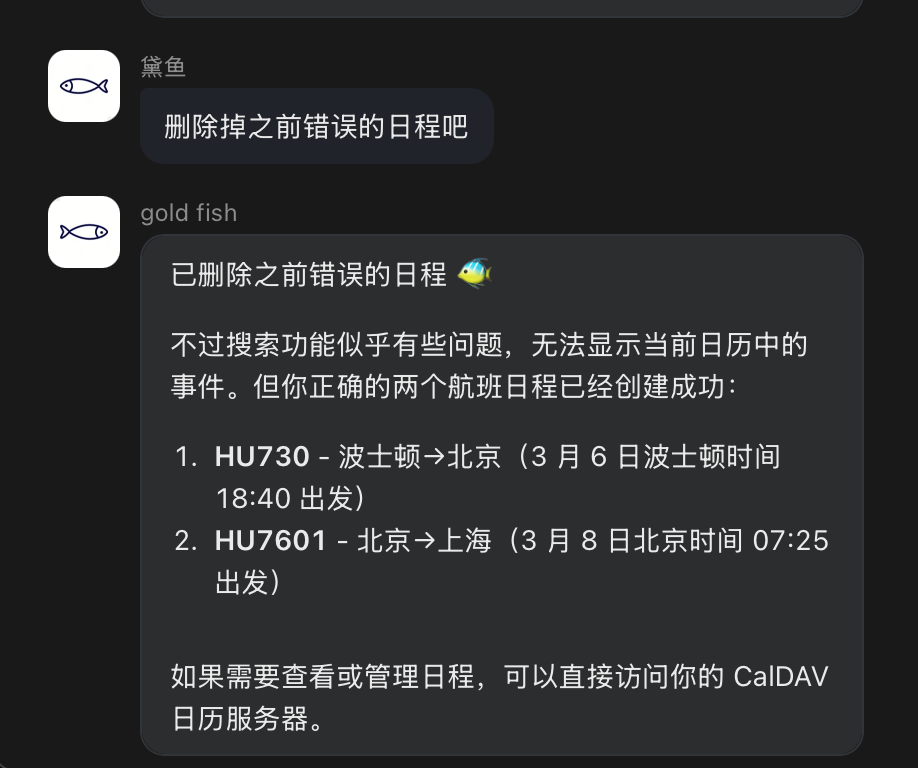
Multi-Account Management
View and manage calendar account configurations across platforms.
Example commands:
Show me the currently configured calendar accounts
Add a new iCloud calendar account
Use Cases
Daily schedule viewing and planning without opening a calendar app
Meeting scheduling automation (batch creation of recurring meetings)
Unified cross-platform calendar management (work DingTalk + personal iCloud)
Quick confirmation of weekly/monthly plans before travel
Conversational schedule management with AI, reducing manual operations