TPU Container Instance Storage Management
The Storage Management page is used to create, view, and maintain network disks mounted on TPU container instances. Path: "Storage Management" in the left navigation of the console.
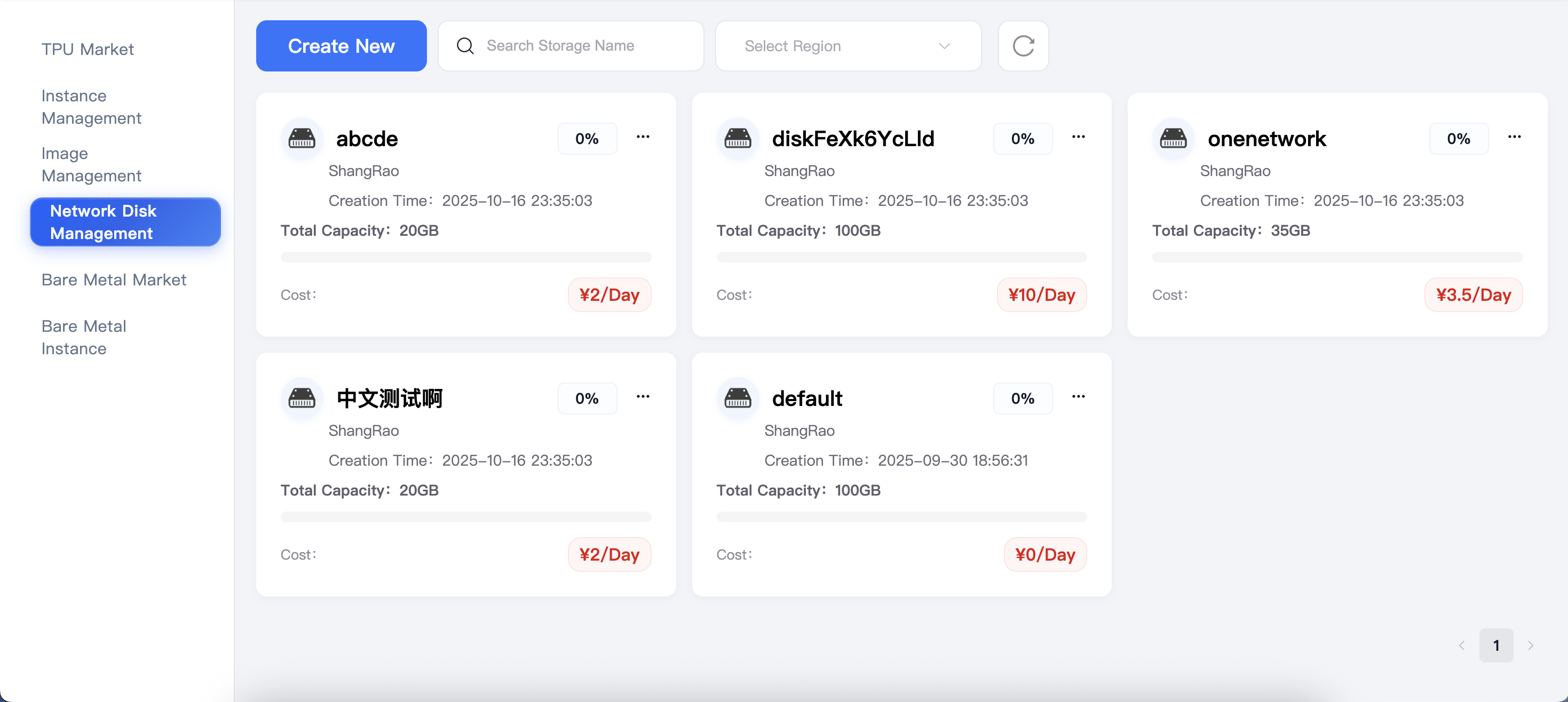
Network Disk Introduction
- Network Disk: Can be mounted/unbound between multiple instances, used to store persistent content such as models and datasets.
Operations
Create New Network Disk
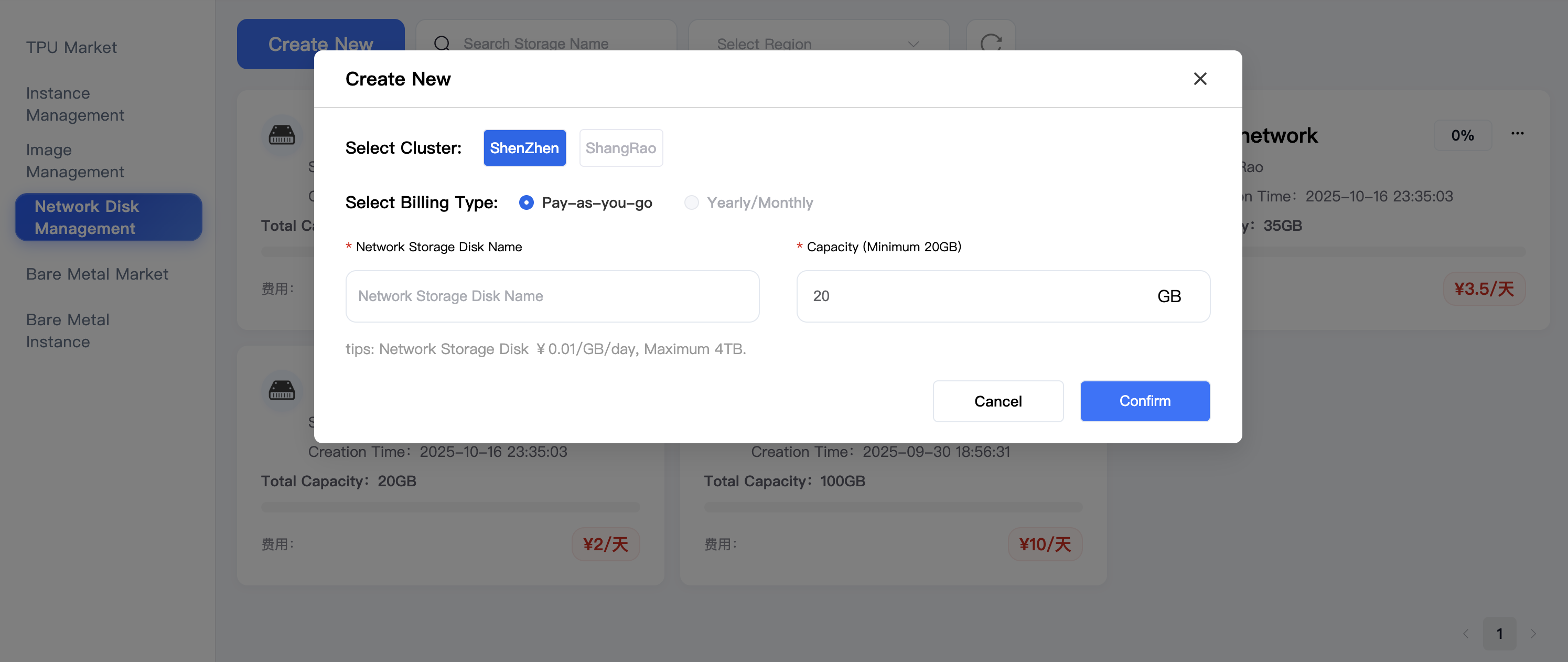
- Click "Create New Network Disk" at the top of the page to pop up the configuration window.
- Select Region, billing mode (default pay-as-you-go), fill in the network disk name and capacity (minimum 20 GB, maximum 4 TB).
- After confirming the information, click "Confirm". The new network disk can be seen in the list within seconds and mounted during instance creation or instance management.
Query and Filter
- The top search box supports fuzzy query by network disk name.
- You can switch regions and refresh the list to view network disk resources in different regions.
Expand Capacity
- Select "Expand Capacity" in the "..." menu at the top right of the target network disk card.
- Enter the new capacity value (only incremental expansion is supported). After confirmation, the system automatically completes the expansion operation.
- Do not initiate formatting or uninstall operations on the instance during expansion.
Delete
- Select "Delete" in the "..." menu.
- Before deletion, please ensure that the network disk is not mounted to any instance and the data has been backed up.
- Deletion operation cannot be recovered.
View Details
- Click any network disk card to view information such as creation time, mount status, and belonging instance.
- After the instance is released, the network disk data will still be retained. You can manually release or remount it here.
Usage Suggestions
- It is recommended to use independent network disks for models and datasets in the production environment to facilitate quick switching during instance scaling.
- Regularly check the disk utilization rate, expand or reduce redundant network disks as needed to reduce storage costs.
- Before deleting an instance, if you need to retain data, please unbind and confirm the network disk status first, and manually release it in "Storage Management" if necessary.