OpenClaw Integration Guide
Step 1: Create OpenClaw
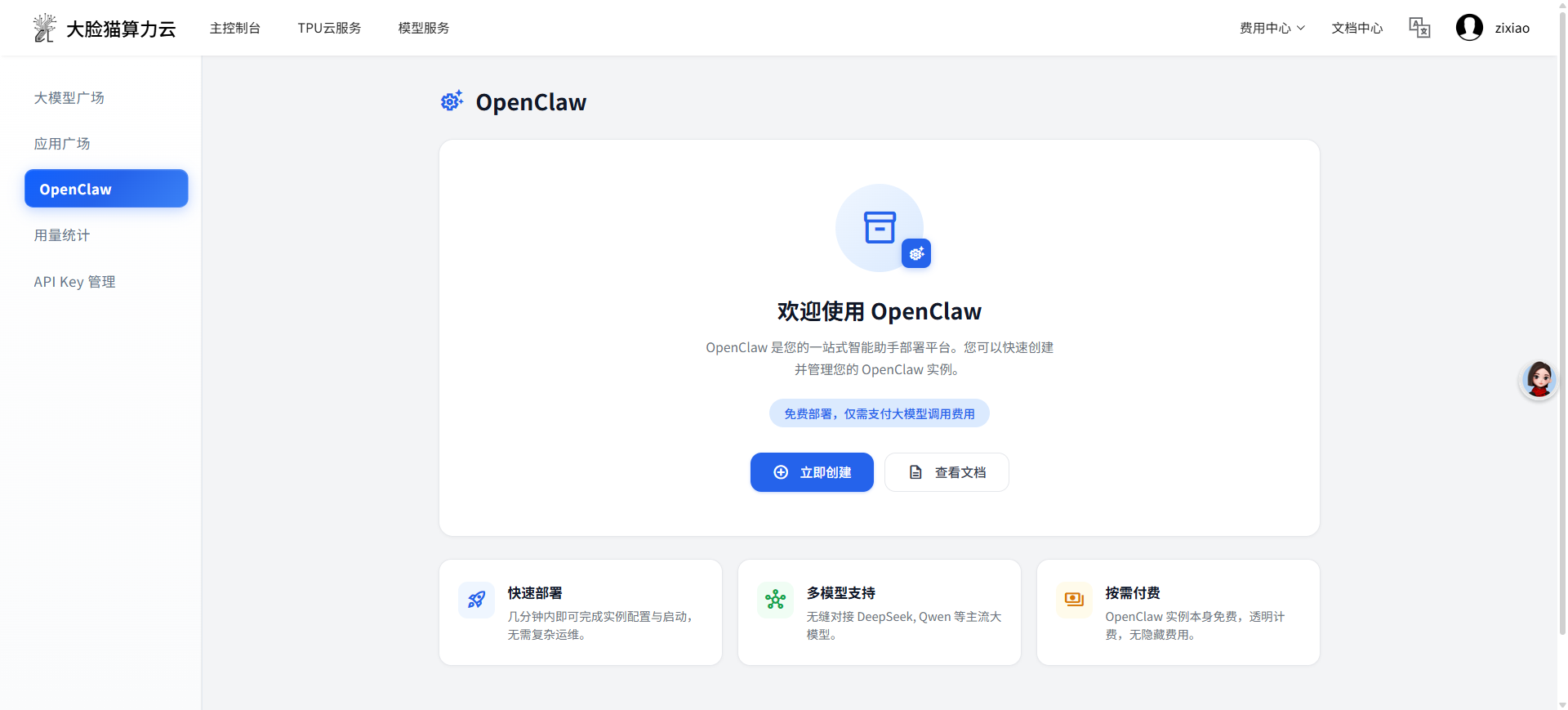
Next, you need to deploy OpenClaw. Go to DaLianCat Cloud - Model Service - OpenClaw
Click [Create Now]
Step 2: Confirm Configuration
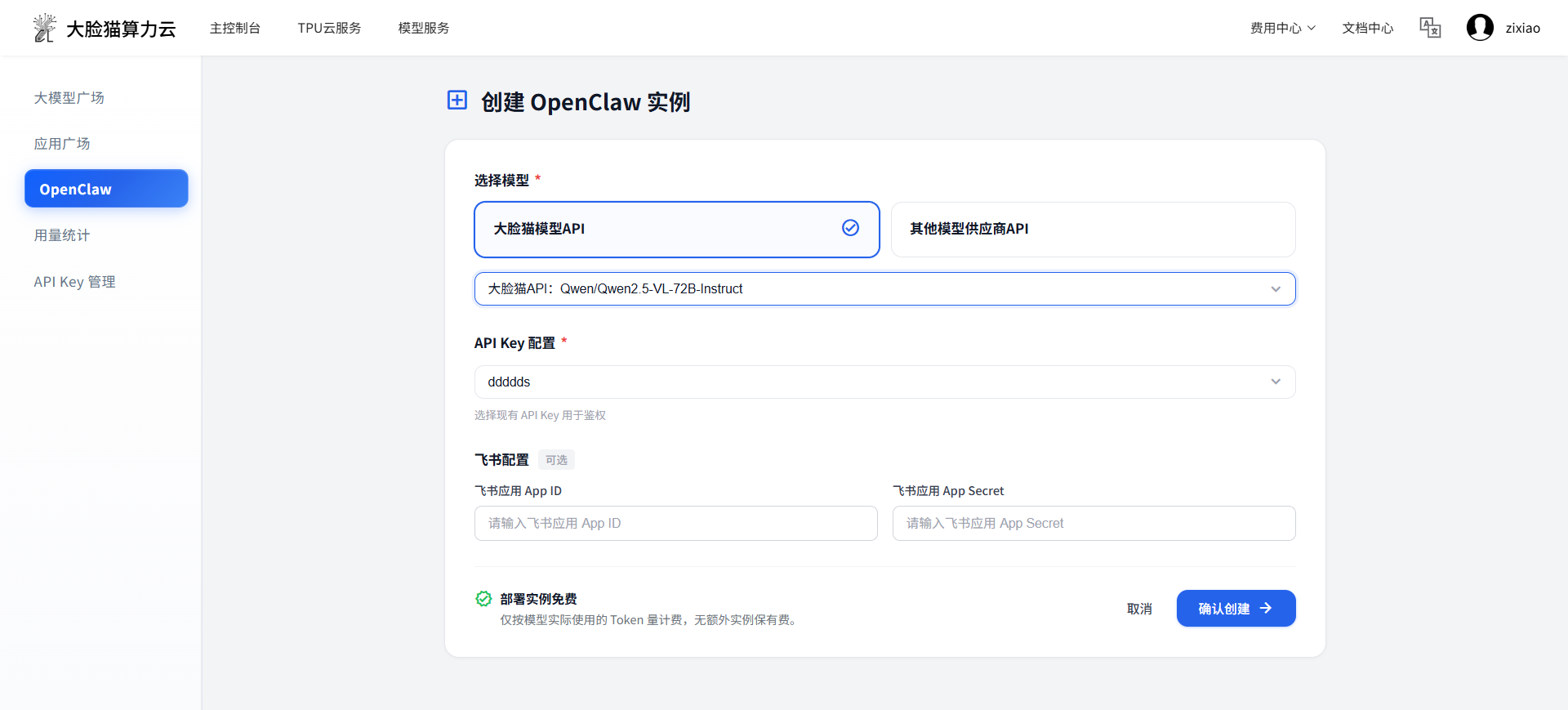
Configuration Option 1: On the instance configuration page, we provide a default DaLianCat API configuration:
Model: Qwen2.5-vl-72B-instruct
Click Confirm to complete the creation
Configuration Option 2: Use [Other Model Provider API]. Currently supports NEW API models, address: https://openrouter.chipltech.com/. The API endpoint is fixed and cannot be modified.
Models: minmax2.5 (default), claude-haiku-4.5, gemini3flash, Glm4.7
You need to enter the token key from NEW API
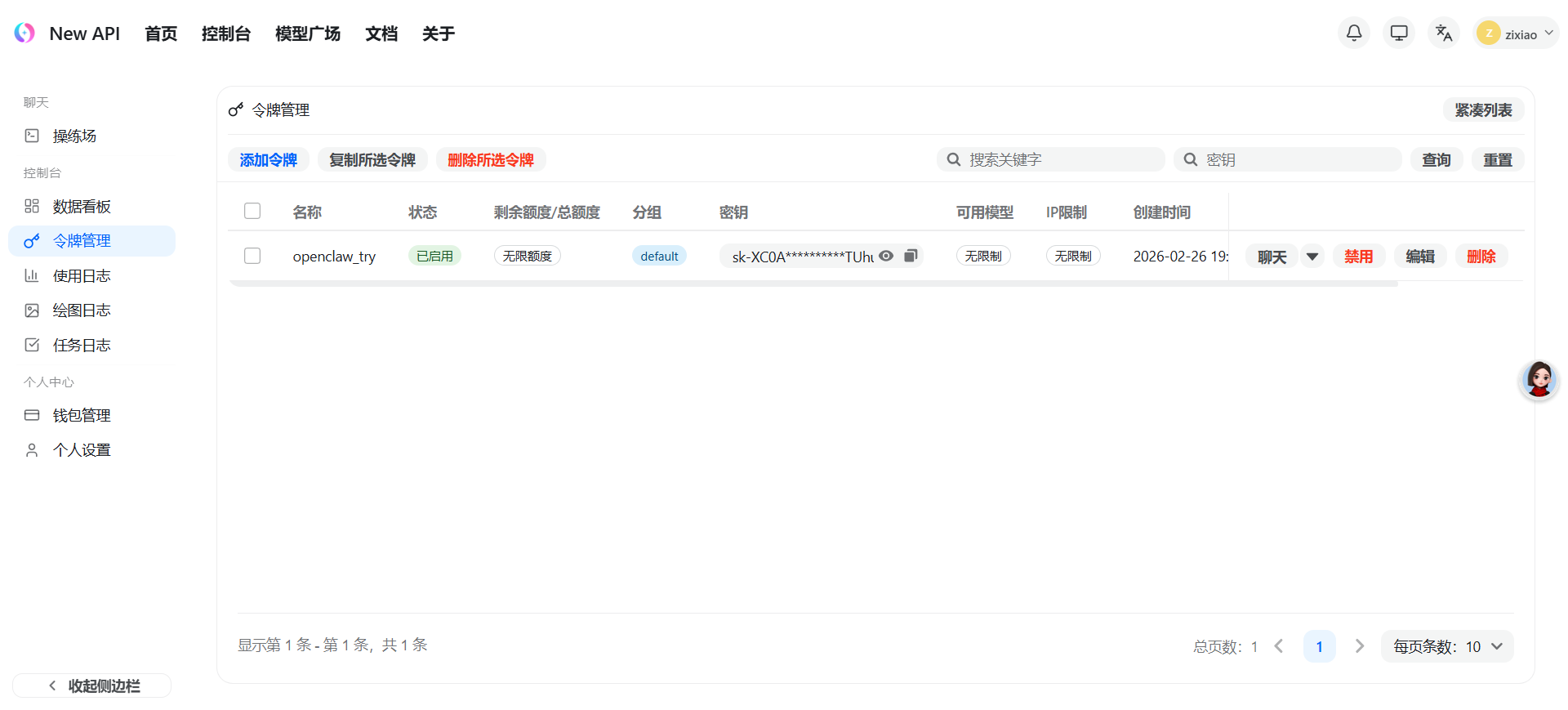
Step 3: Interact with OpenClaw
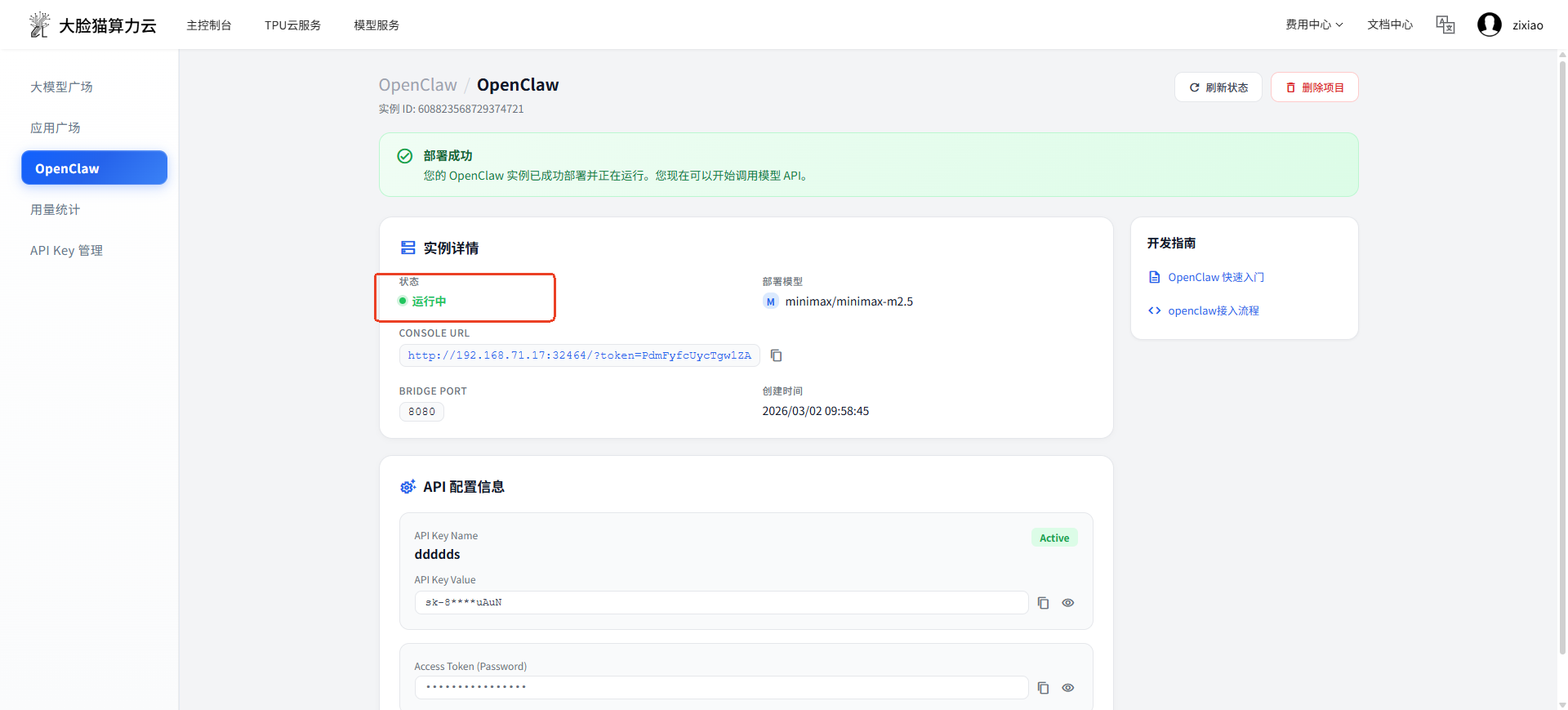
After completing the configuration, when the current status shows Running, copy the CONSOLE URL address to start interacting.
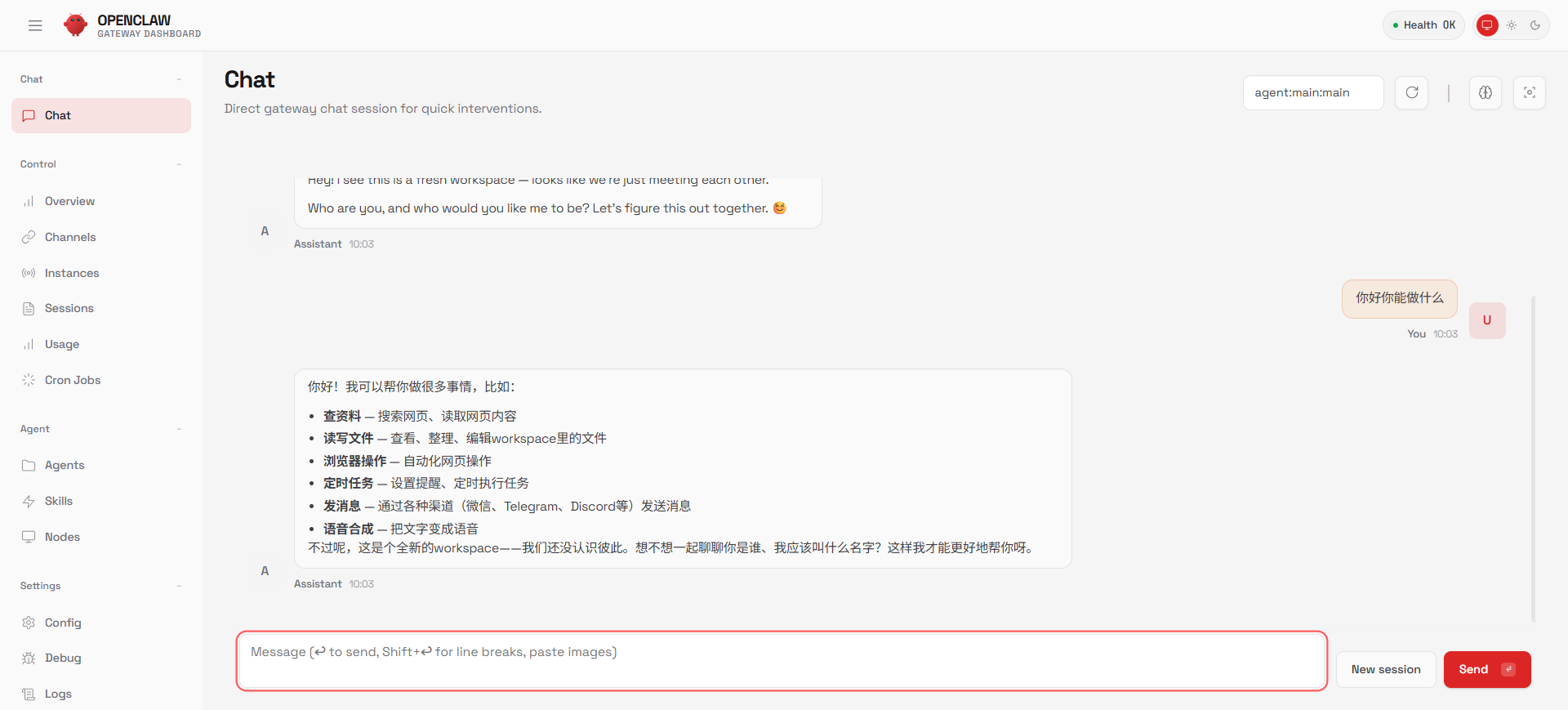
Advanced Experience:
For IM interaction experience, please refer to ChatApp Integration
To learn more about OpenClaw, please refer to Quick Start